
Settings and Privacy
Configure AI, life areas, scheduling, and integrations, and understand how asambl handles your data.
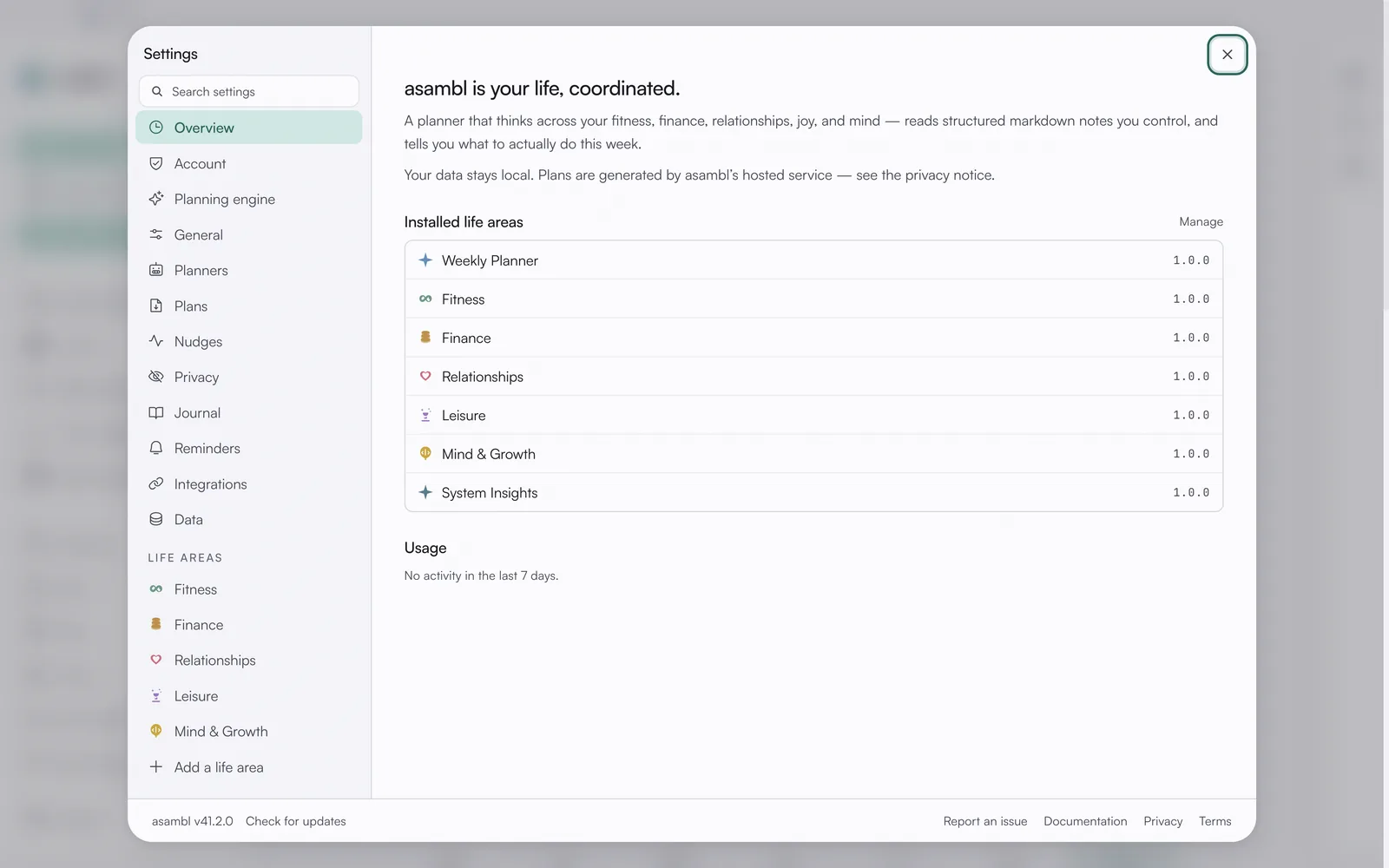
asambl keeps its configuration in one place. Open Settings to manage how AI behaves, which areas you track, when you work best, and which external services you connect.
Settings
AI
Managed AI is included, so there is no API key to set up. When AI is on, only the prompt for each request goes to asambl's managed endpoint, and your vault stays on your machine. You can turn AI off entirely. With AI off, asambl won't draft your week; you get a blank template to fill in yourself, and everything else keeps working, with nothing sent to the AI endpoint.
You can also set how much of the planning asambl decides for you. This planning-authority dial lives with your goals and values, so the plan follows the direction you have set.
Life Areas
Turn on the life areas you want asambl to plan around, Work & Career, Health & Wellness, Finance, Relationships, Joy & Lifestyle, and Mind & Growth, and turn one off when it is no longer relevant. Your existing notes for an area stay in your vault even after you turn it off.
Scheduling
Set your peak-energy times and deep-work preferences so plans account for when you work best. asambl uses these signals to place demanding work in the hours where you are most effective and to protect the blocks you reserve for focused effort.
Notifications
Choose which reminders and nudges asambl may show you, so you stay on top of your week without being interrupted more than you want.
Power User Mode
Unlock advanced controls once you are comfortable with the basics. Leave it off to keep the interface focused, and turn it on when you want finer control over how asambl works.
Integrations
Connect Google Calendar and other services. Once connected, asambl can read and write the calendars you allow, so your plans stay aligned with what is already on your schedule.
Data
Export your data, back up your files, and run maintenance. Because your vault is a folder of plain Markdown files, you can copy it anywhere, and the maintenance tools help keep your index and embeddings in good shape.
Your data and privacy
Your vault stays on your machine. When AI is on, only the prompt for that specific request goes to asambl's managed AI endpoint (hosted on Azure OpenAI), and it is not stored long-term. Semantic search and embeddings run locally on your device.
You can switch AI off entirely. With AI off, the planner stops drafting and hands you a blank template to fill in by hand; the rest of asambl keeps working, without contacting the managed endpoint.
Your files are plain Markdown in a folder you control, so you can back them up, version them, or open them in any editor you like. Nothing about the format locks you in.
For the full details, including data handling, retention, and your rights, read the complete privacy policy.