
Weekly planning
How asambl builds your week from eight short questions, and how the draft ends as real calendar events.
Your weekly plan is not a form to fill out. It is eight short questions, one at a time, that turn a few honest answers into a sequenced week and then into real calendar events. Nothing is locked until you commit it, and you can change the draft at any point.
Drafting the week needs Plan generation on, in Settings under Planning. With it off, asambl will not draft the week.
Start with Plan your week in the sidebar, or Cmd/Ctrl + N from anywhere.
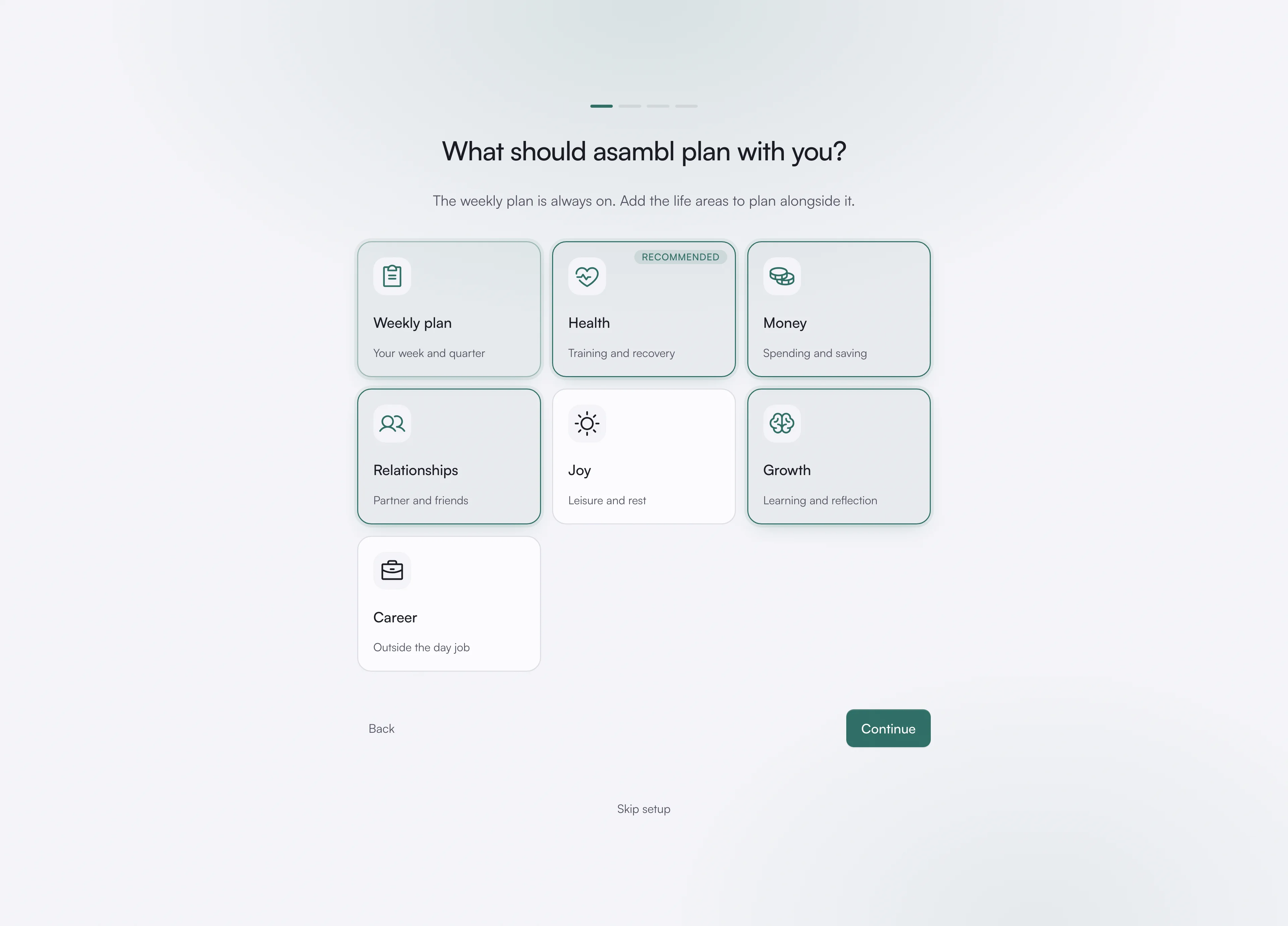
1. Choose the parts of life that matter
At setup, and any time after, you add the life areas you want asambl to plan with you. The weekly plan itself is always on. Add areas when you are ready for them, and remove them or set them to Off when they are not relevant. The plan only ever covers what you have chosen. See Life areas.
2. Answer eight questions
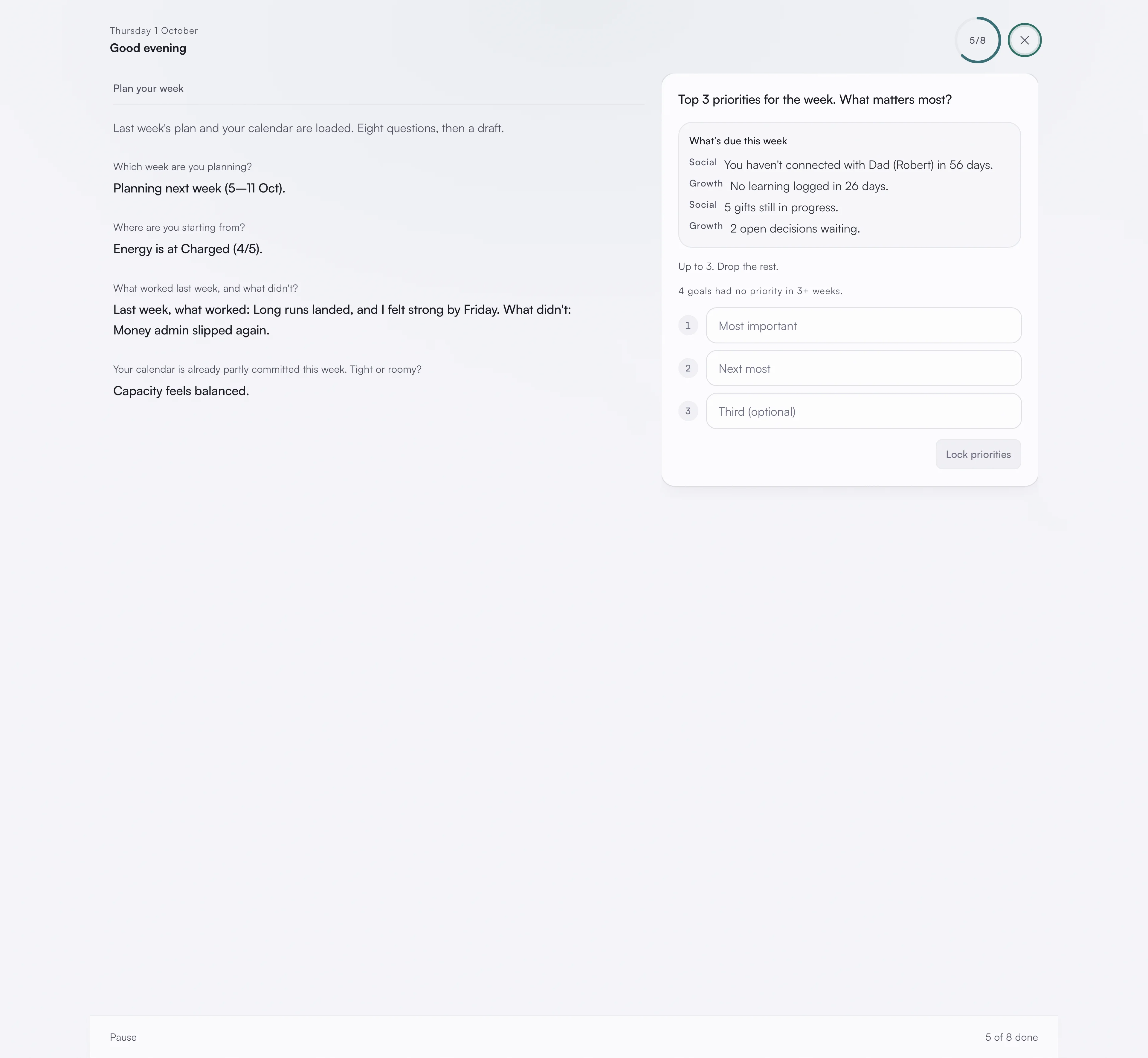
The first screen says what is loaded ("Last week's plan and your calendar are loaded. Eight questions, then a draft.") and you press Start. Then:
- Which week you are planning, this week or next.
- Where you are starting from, on a scale from Flat to Peak.
- What worked last week, and what did not. On your first plan, a calibration question instead: how many of your recent weeks went roughly to plan.
- How booked the week already is: tight, balanced, or roomy.
- Your Top 3 priorities for the week. Anything still open from last week or in your Inbox comes up first, to carry into the week or set aside.
- A quick check on each life area, where you can skip any that are steady.
- Whether you are ready to commit to the week.
These are short answers. They give asambl enough to draft a week that fits the reality you are in rather than an ideal one. A Flat or Low start makes Health, Growth and Career lighter, and a week you call tight gets fewer, shorter blocks in every area; the other answers leave the draft as it is. The count at the foot shows how far through you are, and if you quit the app partway, you pick up where you left off.
Each priority goes to the life area it is about, and that area's planner gives it time. A priority about your job itself, such as a deadline, gets no blocks, because asambl plans the week around your job; see Career.
3. Review the draft, area by area
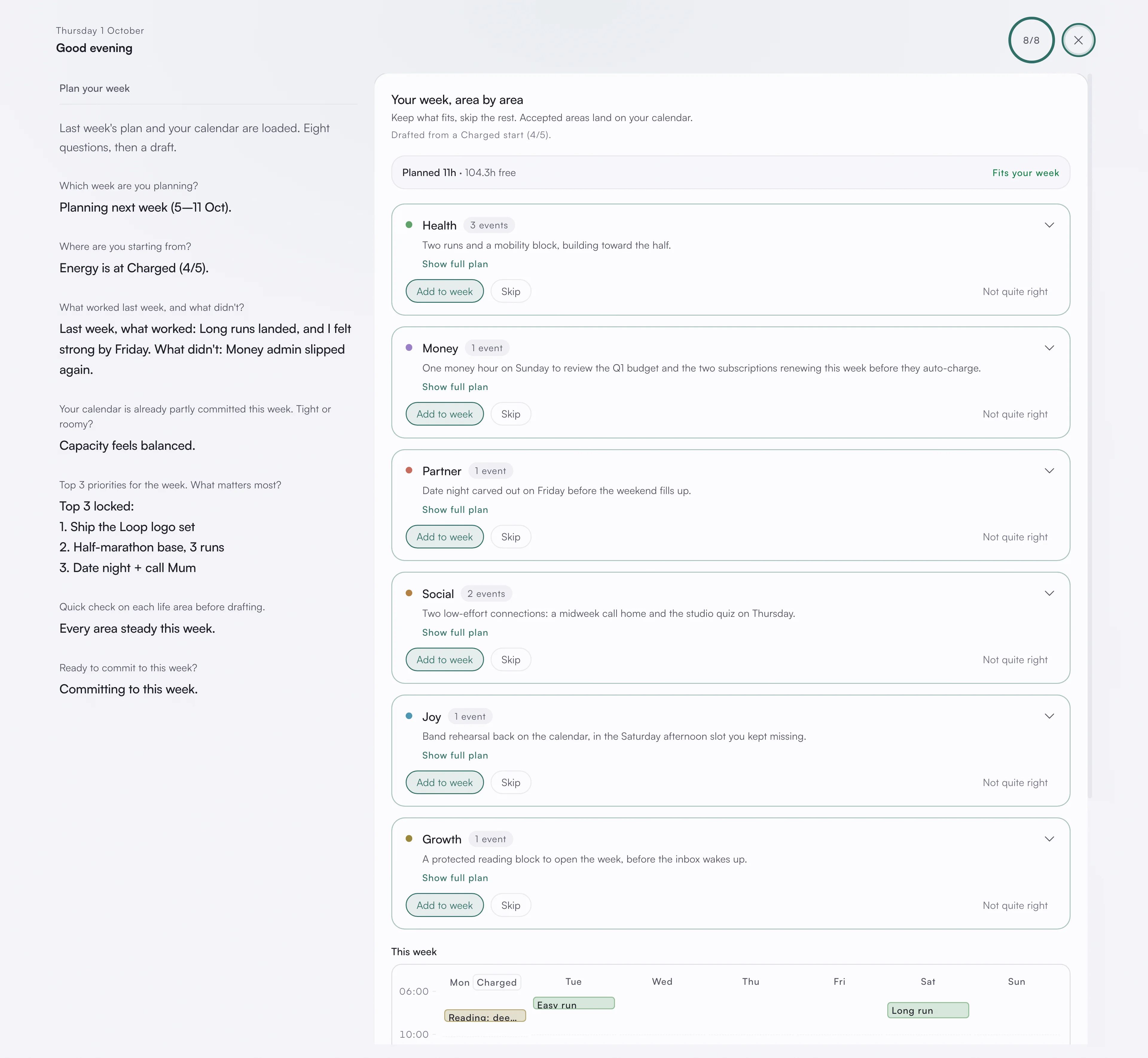
asambl drafts the week and shows it to you as one card per life area. Each card lists its suggested blocks and the reasoning behind them, so you can see why a block is there before you keep it.
Above the cards sits the week's capacity: planned hours against free time, any clash with something already on your calendar, and any priority with no time yet, each with a way to drop the block causing it.
Your plan also draws on what you have already written. Notes that relate to what is on your calendar that week come up while you plan, so a trip on the calendar surfaces the notes you kept about it without you going to find them.
Add to week keeps an area, Skip leaves it out, and Not quite right asks its planner for a change in your own words. As you do, the week rebalances live, so the capacity and the remaining blocks update around your decisions.
For what runs behind this single draft, see How planning works.
4. It becomes your calendar
When you commit, the blocks you kept land on your calendar as proposed events. You review them once more, make any final edits, and accept. At that point they become real events, colour-coded by life area and, if you have connected it, synced two-way with Google Calendar. See Calendar.
Committing a plan also prompts asambl to point out one thing about its shape, as an observation rather than a verdict. See Week.
When the week changes
A week rarely survives contact with itself. If your energy shifts midweek, open the Energy panel on the calendar's week view, pick the day it changed, and set Plan A, B or C from that day on. The rest of the week follows, and a week with lower-energy days is planned lighter rather than standing there as a rebuke. Midweek, Today also offers a Midweek review of what got done.
You stay in control
Across all four moves, you are the one approving. You can change the draft, skip whole areas, or plan the week again. Weekly plans sit inside a longer quarterly rhythm; see Quarter for how the two connect.