
Week
Where your weekly plans live, how an area draft is reviewed before it commits, and what asambl notices once a week is in place.
Every weekly plan asambl drafts lands on Week. It is the record of what you planned and when, separate from the calendar, which is where those plans became time.
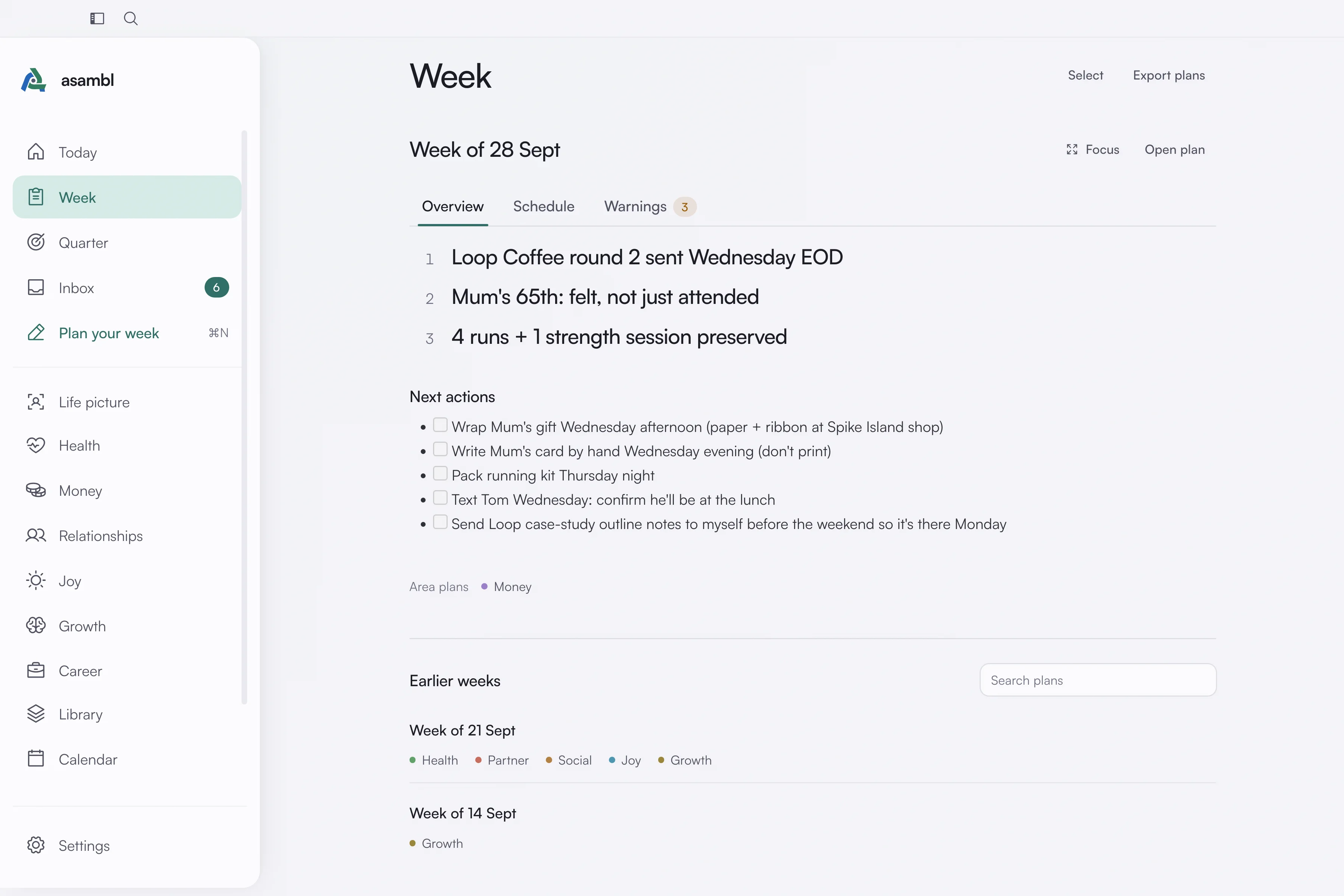
This week first
Week opens on this week's plan, read in place, with Overview, Schedule and Warnings tabs. Focus reads it full-window and Open plan opens the plan itself. Below it are the week's area plans and any earlier versions.
With no plan yet, Week says so and offers Plan your week, or Open the draft when you left one half done.
Earlier weeks
Below this week, Earlier weeks lists one row per week, each with that week's area plans nested under it and any re-plans as versions. Weeks already planned ahead appear under Coming up. Search plans narrows the list. A plan made before an area was renamed keeps its old heading, such as Work or Mind, and still counts as that area.
Hover a row to ask about that plan in Ask asambl, pin it, archive it or delete it; Select acts on several at once. Archived plans move out of the list and come back from Archived, where you can restore them or delete them permanently. Archiving is reversible; deleting is not.
You can pin up to five plans. Pinned plans come first in Recent plans on Today, which is useful when a quarterly plan should stay in reach while weekly ones come and go.
Reviewing an area draft before it commits
When you ask an area's planner for a plan on its own page, the draft opens in Draft review first. Nothing is written until you say so. You have three choices:
- Commit plan, and the plan commits.
- Amend it: tell asambl what is wrong in plain language, and it regenerates with your feedback applied. Useful when the shape is right but a few blocks are not.
- Discard it and start again.
This is why nothing lands on your calendar unannounced. The draft is the gate. Your weekly plan has the same gate, reviewed area by area; see Weekly planning.
What asambl notices
When you commit a weekly plan, asambl points out one thing about its shape. An area you plan that got no time. A priority with nowhere in the week to happen. It comes as an observation and a question, not a verdict.
Answer Intentional or Not right. Either way it takes that into next week rather than raising the same thing again.
Control this in Settings, under Nudges, where Notices also covers what happens when a week goes by without a plan.
Rating a plan
Open a plan to say whether it helped, rate it out of five with a note on what missed, and mark each event done, skipped or moved. All of it feeds back into how asambl drafts the next one, so a week you rated poorly and barely completed changes what comes next rather than being repeated.
Exporting
Export plans saves every plan as a JSON file, with its content and your feedback attached. Your plans are also plain Markdown files on your computer, so you can read them in any editor without exporting at all.
Where a plan comes from
Weekly plans come from Weekly planning. See How planning works for what runs behind a single draft, and Calendar for how accepted blocks become real events.