
Growth
Learning, ideas, projects, and the decisions you are weighing up, plus the habits you are trying to keep.
Growth is where the thinking goes: what you are learning, the ideas you have not done anything with yet, the projects you are carrying, and the decisions you are still weighing up. Your values sit here too, which is why this area shapes the others.
The page leads with Growth's part of this week's plan and how last week went. Projects, Ideas and Decisions sit under On file, and the page has two planners, Growth and Knowledge.
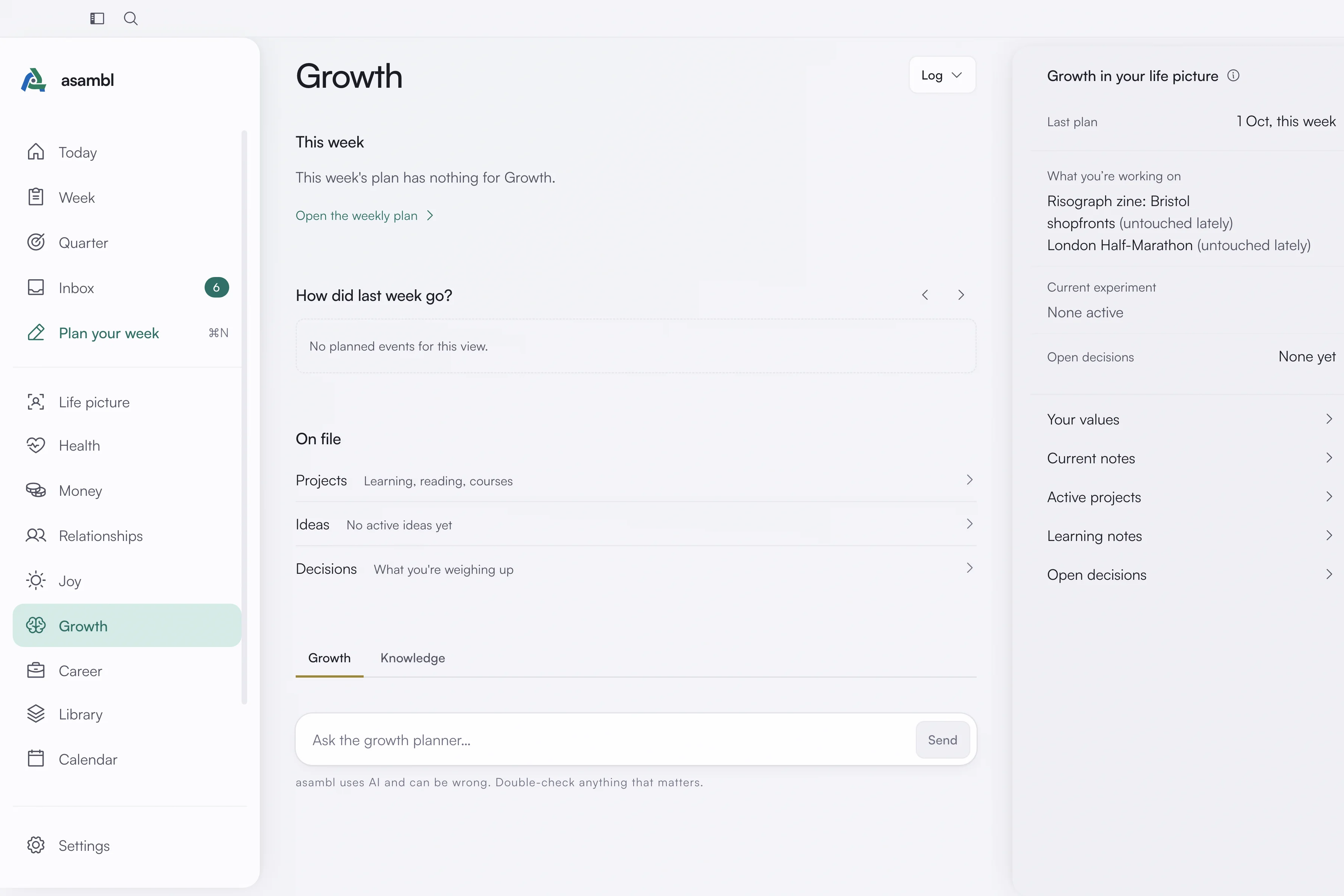
Ideas
Capture an idea when it arrives, before it evaporates. Ideas stay active while you are still interested and move to archived when you are not, so the list you look at is the one you might act on rather than everything you have ever thought.
An active idea is a candidate for the week. Archiving is not deleting; the archive is still there when the idea turns out to have been early rather than wrong.
Projects
The things you are actually carrying, tracked as active, backlog or completed so the planner knows what is in flight. A project with no time in the week is visible as such, which is usually the useful information. A side project or side business you lock as a priority goes to Career.
Decisions
A queue for the open questions you have not resolved: the decisions you keep turning over without settling. Writing one down does two things. It stops you re-deriving the same question every few weeks, and it gives asambl something concrete to help you think through in Ask asambl.
Learning
Log what you have been reading and working through with Learning session in the Log menu. The Growth planner reads it, and the Knowledge planner looks after your reading and watching queues.
Habits
Define the habits you want to keep, with the type that fits each one: yes or no, a scale, or a count. Add one with New habit in any area's Log menu, and record them in the daily check-in. The Habits card on Today shows the last seven days for each one.
Goals, values and direction
Your goals and your direction live on Quarter, because they shape every other area. See Quarter. Your values open from the side panel, Growth in your life picture.
Current notes
A free-text note for what is true at the moment. The planner reads it, so a stretch where you have no capacity for anything new is worth writing down rather than discovering through a week of plans you cannot follow.
Where it lives
Growth keeps its notes as plain Markdown in your data folder: your goals, values, ideas, projects, open decisions, learning log, habit definitions and check-ins, and your current notes. The folder carries the area's earlier name, Mind. Plain Markdown, readable in any editor.