
Career
The career your job crowds out, planned in the hours outside work, with the day job as the fixed time your week is built around.
Career plans the career your job crowds out: a pivot, a side project or side business, a credential, a portfolio, your network. Most of it has no deadline, so without a slot it waits for a quiet week that never comes. Career gives it time in the hours outside work.
Your job stays outside this area. Its hours, meetings and deadlines are walls the week is planned around, and asambl never schedules them. Career comes last in every list for the same reason: asambl is for the week outside work.
The page leads with Career's part of this week's plan and how last week went, with your Pipeline, Body of work and Network under On file.
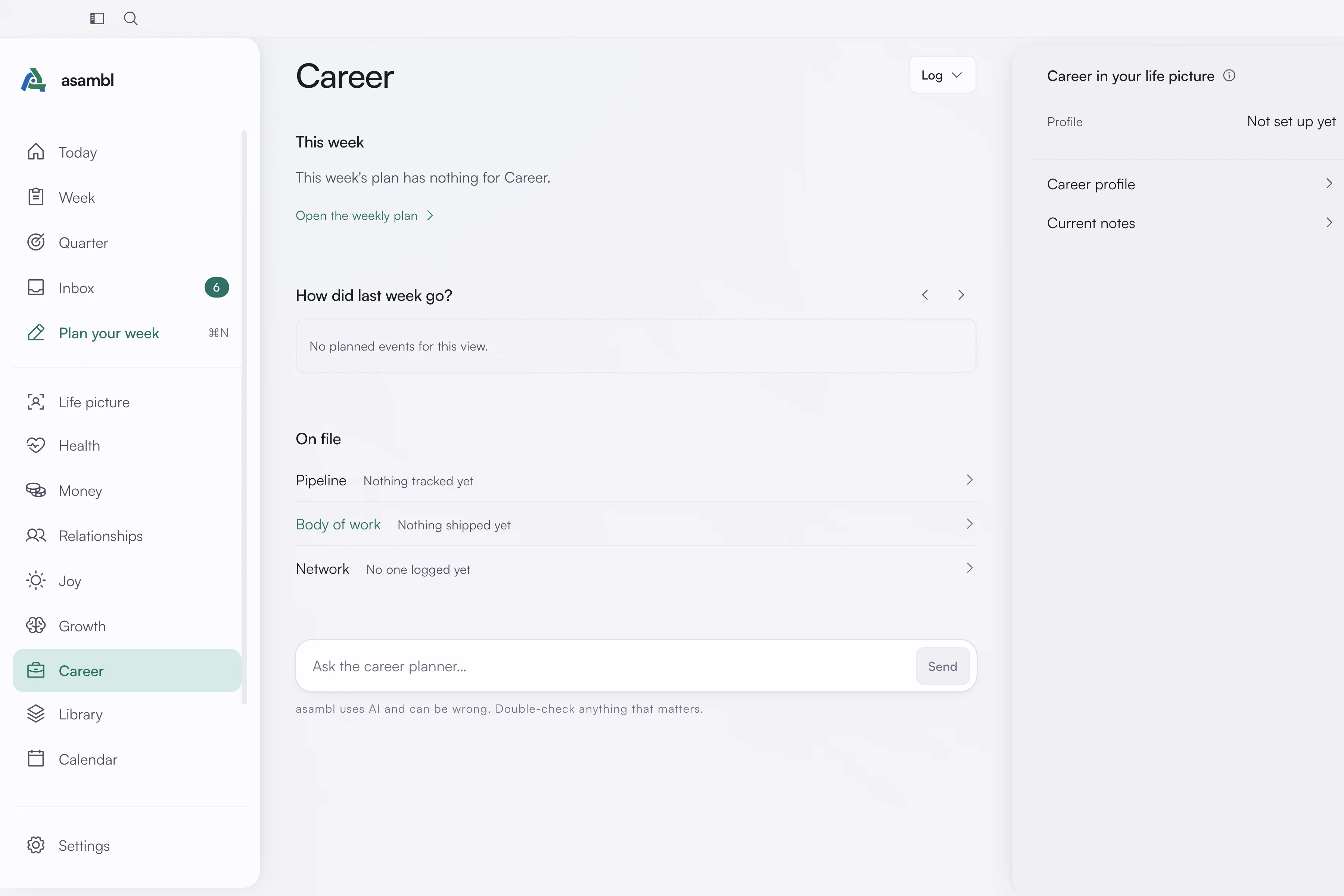
Your Career profile
Your Career profile holds your current role, the direction you are heading in, your weekly capacity for career work beyond the day job, and any constraints the plan must respect. It also keeps your pipeline, your body of work, your network and one skill sprint at a time. The Career planner reads all of it.
Your work hours are set in Settings, under Planning, in When you work best. Career keeps its blocks outside them.
The week
The Career planner drafts one to three small moves a week, each a step to ship something, move a lead, reach someone in your network or build a skill. They land before work, in the evening or at the weekend, never in your work hours, and they fit the weekly capacity on your profile; with none set, it plans one evening.
A heavy week at work, with a deadline, a late finish or a full calendar, gets one small move or none. Workload in your current notes says how loaded the job is right now.
With nothing career-shaped on file (no direction, capacity, pipeline, body of work or skill sprint on your profile, and no priority or note for Career that week), the area reserves no time and says so.
Priorities
Lock a priority about a side project, a side business, a pivot, a job search, portfolio work, a certification or networking, and it goes to Career.
A priority about your current job, such as a deliverable, a meeting or a deadline, gets no blocks. The job is a wall, so the priority makes the Career plan smaller instead, and the plan says so in a line. A priority about the job's boundary, such as leaving on time, a hard stop or no email after a set hour, goes to Health, which anchors the end of your workday.
The pipeline
Alongside the week, this area keeps a pipeline of the roles and opportunities you are pursuing. Each row holds the role, the organisation, where it stands, your next step, and when that step is due.
Statuses move through researching, warm lead, applied, and interviewing while a lead is live. Parked and offer are treated as deliberate rests, not stalls, so they are left alone.
Leads that have gone quiet
asambl flags an active lead when it has no next step, or when its next step's due date has passed. The point is not to nag. A live lead with nothing scheduled against it is not progressing, and it needs a decision, either drop it or do the next thing, rather than another week of sitting there. The week's Career plan gives each one a line proposing which.
Where it lives
Career keeps its profile, with your role, direction, capacity, pipeline, body of work and network, as plain Markdown in your data folder, alongside your current notes. The folder carries the area's earlier name, Work. Plain Markdown, readable in any editor.
Growth
Learning, ideas, projects, and the decisions you are weighing up, plus the habits you are trying to keep.
Journal, Tasks, Reminders & Admin
Four quick tools in the desktop side panel, one click away on every screen. A daily journal, a task list with routines, reminders that notify you, and a tracker for renewals.